

The demo stores
A demo store is a complete WooCommerce store: products with photos, categories, pages, menus, a journal, a customer with orders, and the store's look and settings. You import one with LanternWP Companion from Appearance → Demos (Import a demo store), then change everything you want. A demo's look can also be used on its own, without its products and pages (Use only a demo's look).
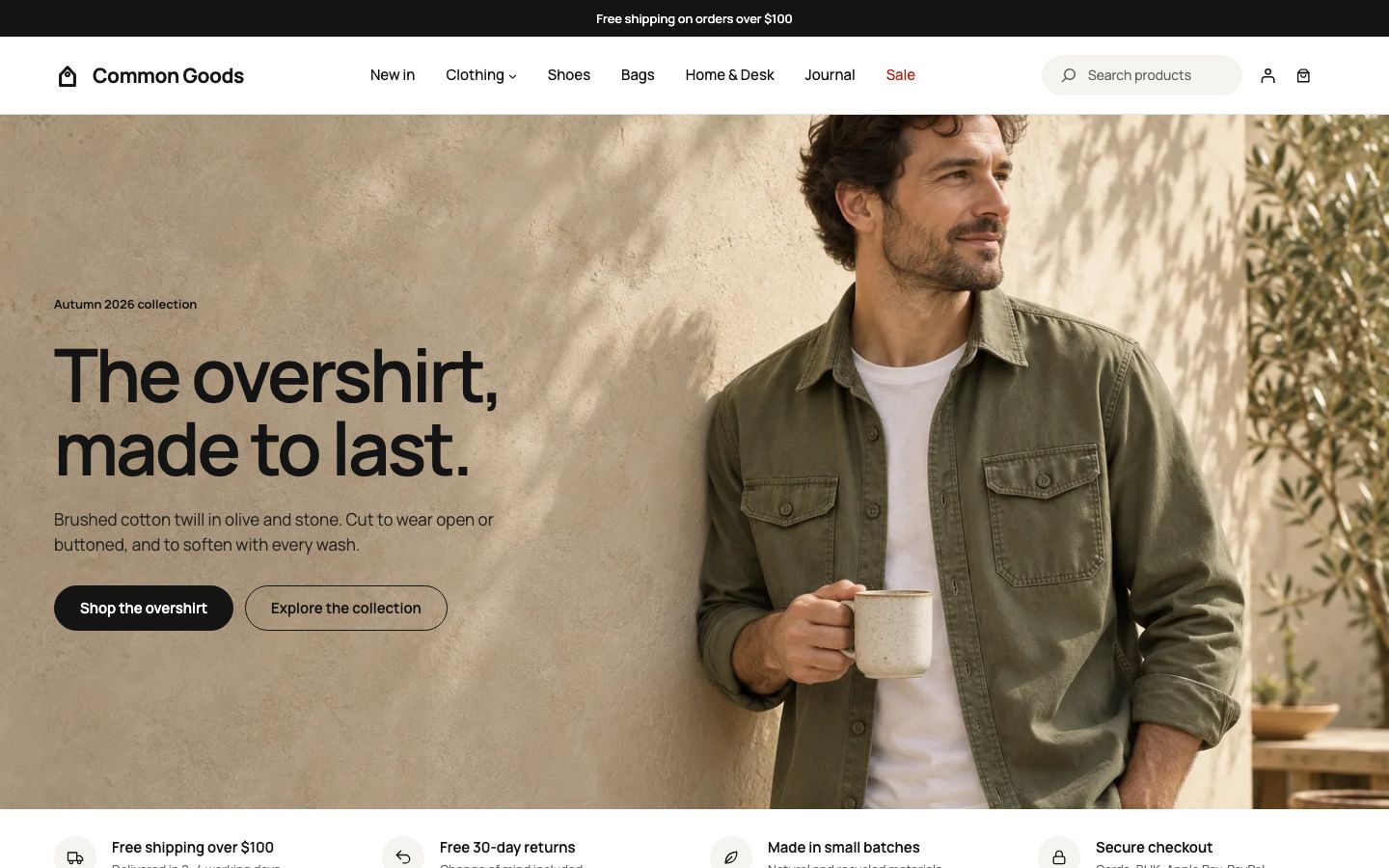
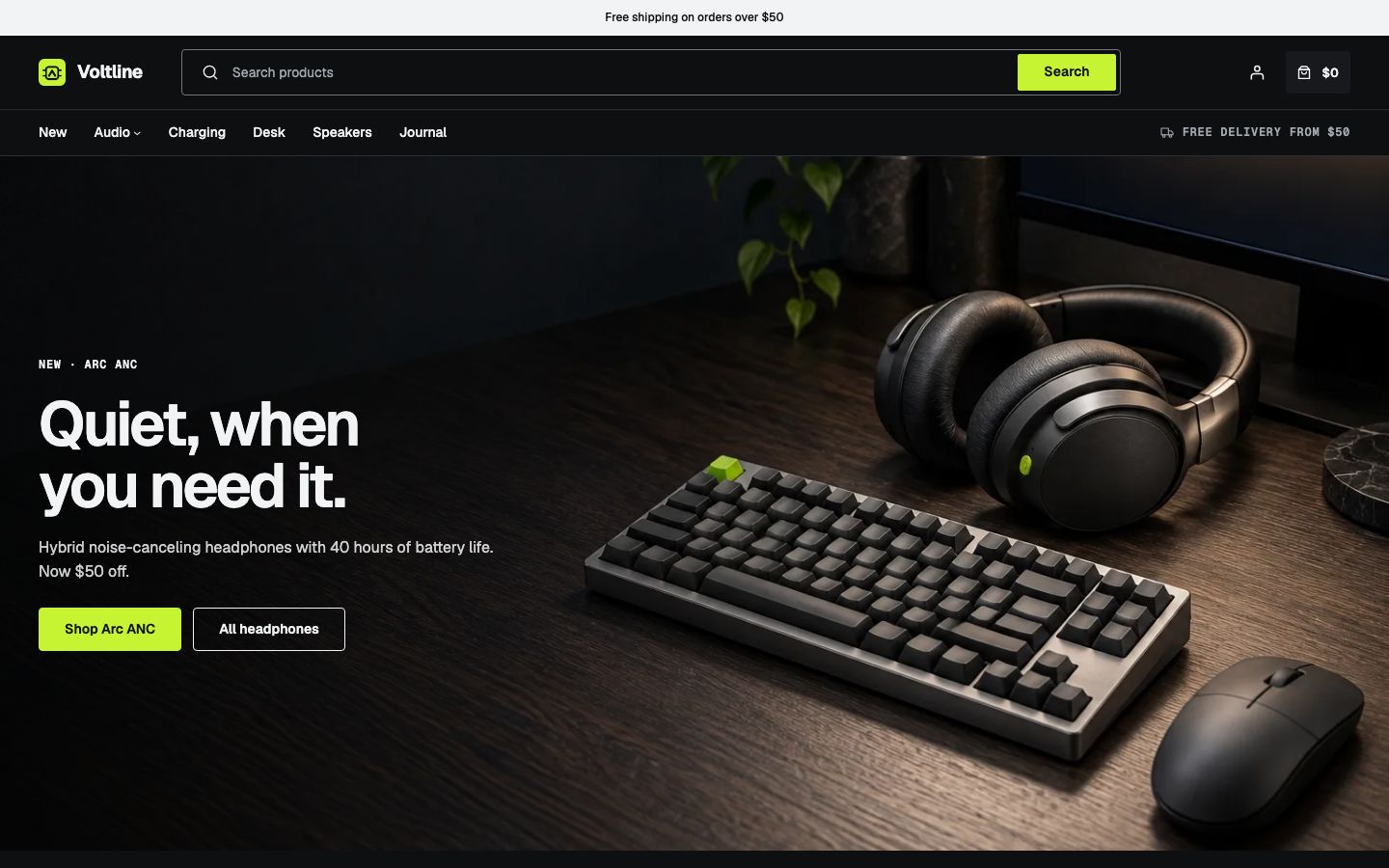
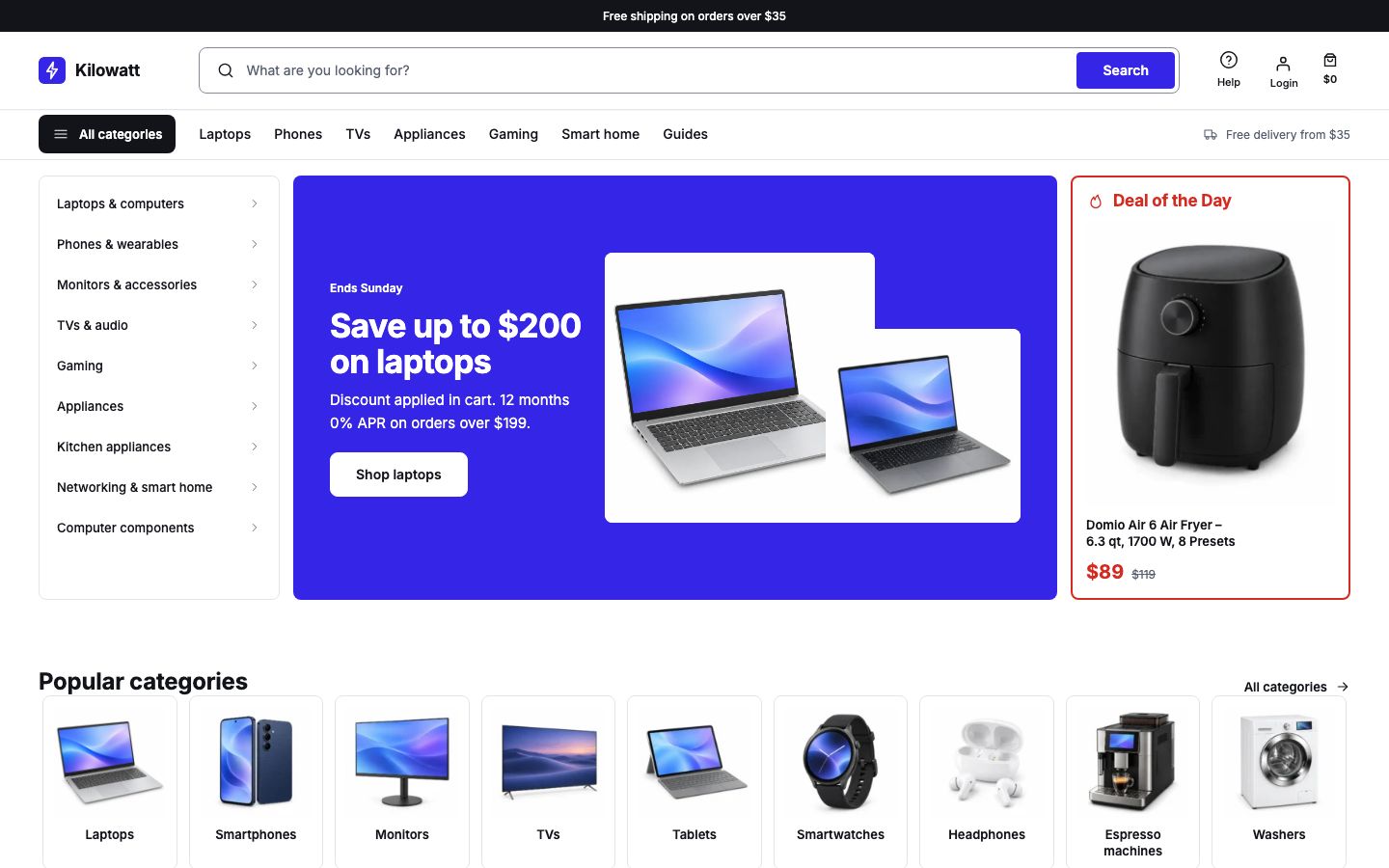
Each demo uses one of the theme's three layouts, which the Demos screen shows as its type:
| Demo | Type | What it sells |
|---|---|---|
| Common Goods | Editorial | Everyday goods in natural materials, made in short runs. It is the theme's own look, Base. |
| Voltline | Specialist | Electronics for the desk and the road, on a dark storefront. |
| Kilowatt | Retail | Electronics and appliances, with departments, deals and store pickup. |
- Editorial (Common Goods): the standard header with the menu in the middle, product cards led by a large photo in a grid, and a product page led by its photo gallery.
- Specialist (Voltline): a header with a wide search field, the same cards and gallery-led product page.
- Retail (Kilowatt): a header with search and an All categories button that opens the departments panel, detailed product cards in a list, and a product page with the price and Add to cart beside the photos.
Demos get new versions as the theme gains features. The Demos screen says when a newer version of the demo in your store is available; importing it brings the store up to date (Importing again).
Something wrong on this page? Report it. Something missing? Suggest it.