

Mega menu
A mega menu opens a wide panel under one item of your header menu: columns of links, each with its heading, and a promotion with a photo. It is an ordinary Navigation menu with two CSS classes, so you edit it like any other menu, and it works without LanternWP Companion.
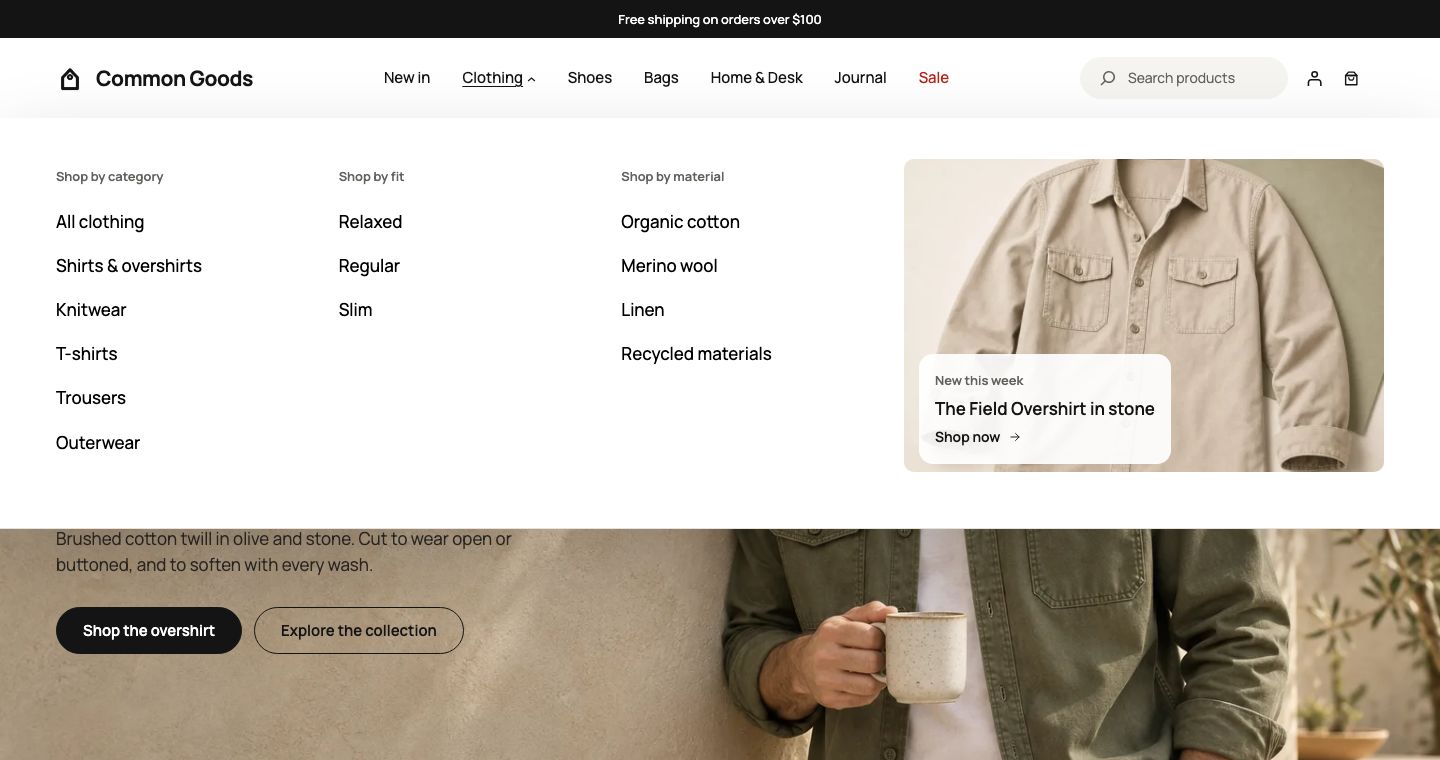
Add the columns
- Go to Appearance → Editor → Navigation and open your header menu.
- Give the item that opens the panel a submenu, for example Clothing.
- Inside it, add one submenu for each column. Its label becomes the column's heading.
- Select the top item. In its block settings, open Advanced and type
lanternwp-megain Additional CSS class(es). - Select Save.
Add a promotion
Add a link to a product, a post or a category inside the panel and give it the class lanternwp-mega-promo. The panel shows it as a promotion with the image of what it links to. The link's description becomes the line above its title.
On phones
The columns follow the item inside the phone menu, one under another.
Something wrong on this page? Report it. Something missing? Suggest it.